
The Big Picture
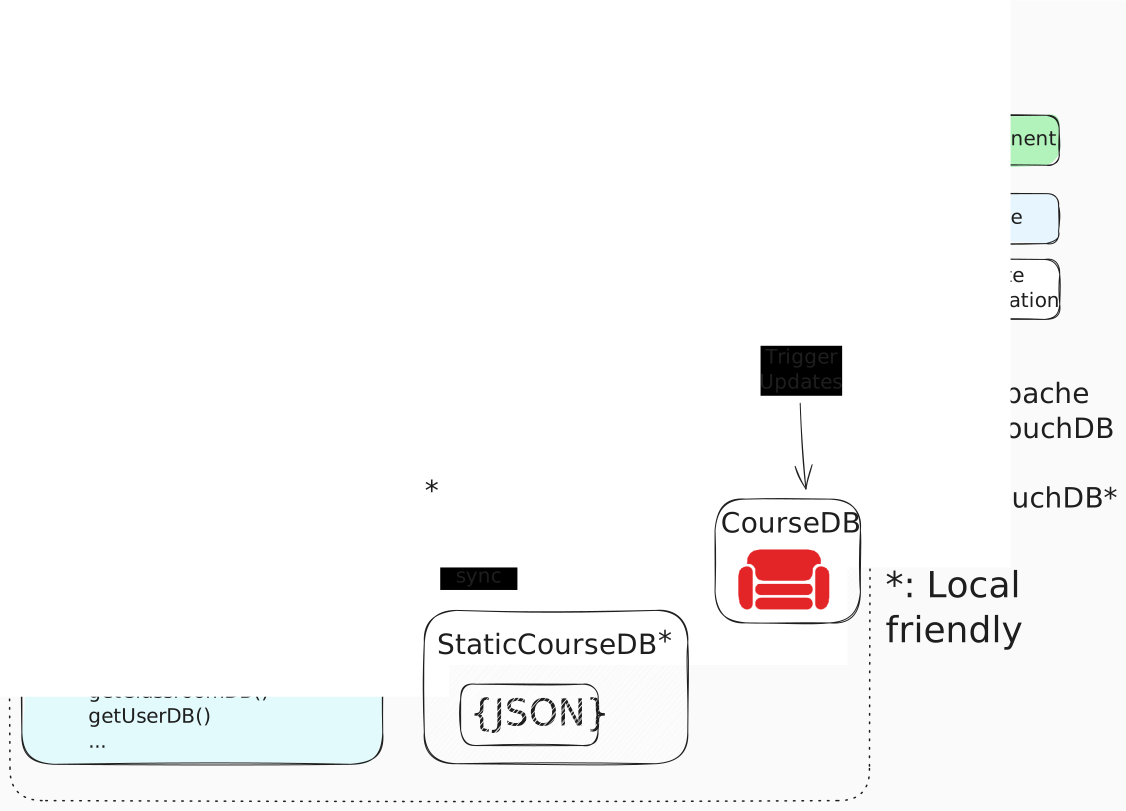
The focal point of skuilder is the main learning loop housed in the StudySession.vue component. If you ran the inline demo on the docs frontpage, you've encountered this loop first-hand. Here we will step through the lifecycle of a Study Session and describe the major components along the way.
!!!
This diagram is not strictly accurate in terms of named entities or functions, but is right in spirit.
Session Startup
Configuration
Before the loop begins, a few objects are created to parameterise the session:
- A list of
StudyContentSources (the courses/curricula to draw from) - A time limit for the session
- User preferences (e.g., confetti on success)
In the frontpage demo, the StudyContentSource is hard-coded. In an application with a single standalone course, that course would be hardcoded. In more general contexts, the content sources may come from a user's registrations or selections from a menu.
The StudyContentSource at this point is passed by reference — just an ID string.
Initialization
StudyContentSource is a small interface:
/**
 * Interface for sources that provide study content to SessionController.
 *
 * Content sources return scored candidates via getWeightedCards(), which
 * SessionController uses to populate study queues.
 *
 * See: packages/db/docs/navigators-architecture.md
 */
export interface StudyContentSource {
  /**
   * Get cards with suitability scores for presentation.
   *
   * Returns unified scored candidates that can be sorted and selected by SessionController.
   * The card origin ('new' | 'review' | 'failed') is determined by provenance metadata.
   *
   * @param limit - Maximum number of cards to return
   * @returns Cards sorted by score descending
   */
  getWeightedCards(limit: number): Promise<GeneratorResult>;

  /**
   * Get the orchestration context for this source.
   * Used for recording learning outcomes.
   */
  getOrchestrationContext?(): Promise<OrchestrationContext>;

  /**
   * Set ephemeral hints for the next pipeline run.
   * No-op for sources that don't support hints.
   */
  setEphemeralHints?(hints: ReplanHints): void;
}
The behaviour of a course depends (in obvious ways!) on both the course content and the current user. To instantiate the working content sources, a helper from the dataLayerProvider is used, which combines each curriculum store with a user's running records to produce the personalized content source for the session:
getStudySource(source: ContentSourceID, user: UserDBInterface): StudyContentSourceWe're here:

Session Planning & Data Hydration
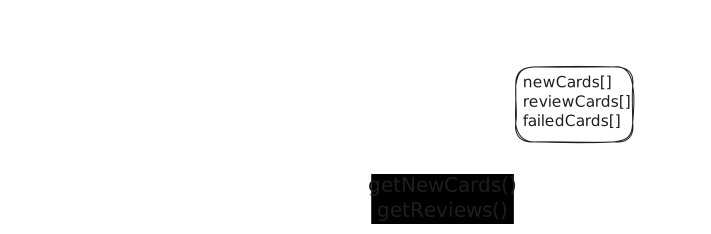
With the content sources initialized, the SessionController now populates its queues for the session.
The default behaviour is to prefer surfacing at least something new for each session, but otherwise to make a tradeoff between session duration and review backlog. Skuilder maintains a buffer of cards that are eligible for review but not yet overdue, enabling graceful handling of variations in study routine.
The content source provides two types of items:
interface StudySessionNewItem {
  // A card the user has never seen
  cardId: string;
  courseId: string;
  // ... hydration data
}

interface StudySessionReviewItem {
  // A card due for review based on SRS scheduling
  cardId: string;
  courseId: string;
  scheduledFor: Date;
  // ... history data
}
With newCards and reviewCards in the pipe, the session is ready to begin.
The Main Loop
The session enters its main loop: present a card, capture the response, update state, repeat.
Card Presentation
The SessionController selects the next card from one of three queues:
| Queue | Contents | When Selected |
|---|---|---|
| New | Never-seen cards | Early in session, when time permits |
| Review | Scheduled reviews | Throughout session |
| Failed | Cards failed this session | Prioritized as time runs short |
The selected card is hydrated — its data fetched, its Question instantiated, its Vue component rendered.
Response Capture
The rendered card emits events as the user interacts:
interface CardResponse {
  answer: unknown;        // The user's response (type depends on card)
  timeSpent: number;      // Milliseconds from presentation to submission
}
The Question instance evaluates this response:
interface Evaluation {
  isCorrect: boolean;     // Did the user succeed?
  performance: number;    // How well? (0-1 scale)
}
State Updates
Based on the evaluation, several things happen:
- ELO Update: Both user and card ratings adjust based on the outcome
- SRS Scheduling:
- Success → schedule next review at an extended interval
- Failure → card enters the failed queue for retry this session
- History Recording: The interaction is logged for analytics and future reference
- Queue Management: The controller updates its internal state and selects the next card
Loop Continuation
The loop continues until one of:
- The configured time limit is reached
- The user manually ends the session
- All queues are exhausted (rare — reviews regenerate)
Cleanup
As the session approaches its configured time limit, the controller enters cleanup phase.
Time-Aware Queue Selection
The selection algorithm shifts priority:
- Plenty of time: Favor new content
- Time running short: Clear pending reviews
- Final minutes: Focus exclusively on failed cards
The Failed-Card Guarantee
A core invariant: failed cards must be cleared before session end.
If a card was failed during the session, the user must successfully complete it before leaving. This ensures:
- The user doesn't exit with unresolved confusion
- Failed concepts get immediate reinforcement
- The SRS schedule reflects actual mastery, not abandonment
Session Completion
When the session ends:
- Final sync: All pending writes flush to the database
- Summary generation: Statistics compiled (cards seen, accuracy, time spent)
- UI transition: The session view yields to a summary or navigation
The user's progress is persisted, ELO ratings are updated, and the next session will pick up where this one left off — with the SRS schedule reflecting everything that happened.
Key Interfaces
The architecture is held together by a few core interfaces:
// What a content source provides to the session
interface StudyContentSource {
  // Legacy methods (still supported)
  getNewCards(n?: number): Promise<StudySessionNewItem[]>;
  getPendingReviews(): Promise<StudySessionReviewItem[]>;

  // Primary API going forward: unified scored candidates
  getWeightedCards?(limit: number): Promise<WeightedCard[]>;
}

// Scored card candidate with audit trail
interface WeightedCard {
  cardId: string;
  courseId: string;
  score: number;              // 0-1 suitability score
  provenance: StrategyContribution[];  // How this score was computed
}

// What a question evaluates
interface Evaluation {
  isCorrect: boolean;
  performance: number;
}
Migration in Progress
The StudyContentSource interface is transitioning from separate getNewCards() / getPendingReviews() methods to a unified getWeightedCards() API. The new approach returns scored candidates that express both new-card suitability and review urgency on the same scale, enabling more sophisticated card selection.
The session controller orchestrates, but the interfaces define the contracts between components. Custom card types, custom content sources, and custom pedagogical strategies all plug in through these abstractions.